
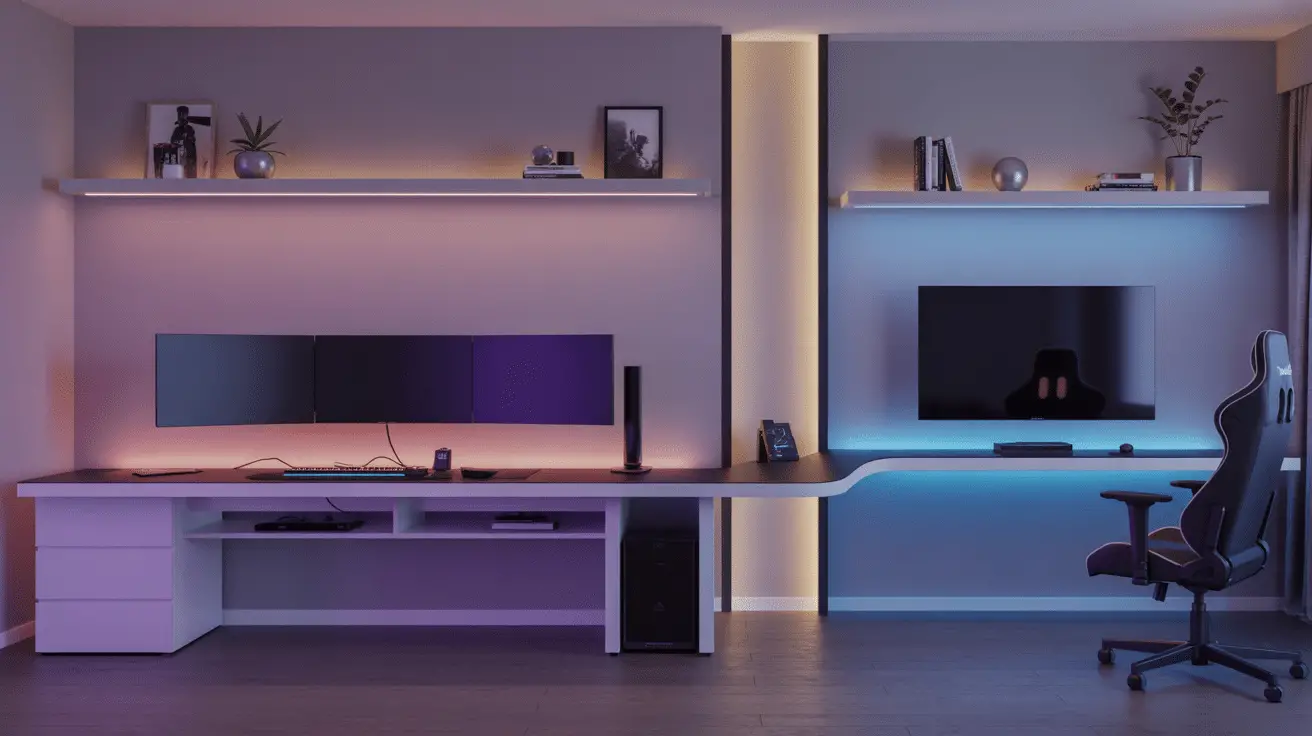
Gaming Room Inspiration Designed for Comfort, Style, and Immersive Play
Table of Contents
Introduction
Gaming has rapidly evolved into a lifestyle, with more than 3.4 billion people worldwide identifying as gamers—proof that these spaces are no longer niche corners but essential parts of the modern home. Today’s players want more than functional setups; they want gaming rooms that feel immersive, comfortable, stylish, and tailored to their personality and playstyle. Whether for long PC sessions, casual console gaming, competitive streaming, or VR, the environment matters as much as the equipment.
A well-designed gaming room does more than look impressive—it improves focus, reduces fatigue, enhances sound clarity, and elevates the overall experience. Comfort and style go hand-in-hand when creating a room that supports long hours without sacrificing aesthetics. From ergonomic furniture and optimized lighting to themed decor and strategic layouts, each detail contributes to a seamless blend of performance and visual appeal.
This article explores a curated collection of gaming room inspiration ideas designed to spark creativity and guide you through building the perfect space. You’ll learn how to piece together the right furniture, lighting, color palettes, acoustic elements, storage systems, and décor choices. Whether you’re designing from scratch or refreshing an existing setup, you’ll discover practical strategies that make your gaming room feel polished, comfortable, and deeply immersive.
Creating a Layout That Supports Comfort and Flow
A well-planned layout is the backbone of any gaming room, defining how equipment, seating, and decor function together. The goal is to create a balanced environment that supports comfort while maximizing space efficiency. A thoughtful arrangement also reduces clutter, improves airflow around electronics, and increases focus by reducing visual distractions.
Begin by identifying your primary gaming zone. PC gamers typically anchor the room with a dedicated desk and monitor setup, while console players center the room around a TV wall or entertainment unit. The positioning of your seat relative to your display determines comfort and image quality, so ensure optimal viewing distance based on screen size. For example, a 55-inch TV is best viewed from about seven feet away for clear, immersive visuals without eye strain.
Next, consider your secondary zones. These may include a mini-fridge corner, display shelving for collectibles, a reading nook, or a charging station. These areas should support your gaming habits without interrupting the main flow. A popular strategy is to separate “active gaming areas” from “relaxation areas” to create visual and functional balance.
Cable management plays an essential role in layout planning. Running wires along walls, using under-desk trays, and routing cables behind panels keeps the room clean and distraction-free. This ensures that comfort and style remain uninterrupted by visual clutter.
Layout Planning Table
| Layout Element | Purpose | Design Tip | Impact |
| Main Gaming Zone | Primary play space | Position screen at eye level | Reduces strain |
| Secondary Areas | Storage & relaxation | Keep zones clearly defined | Improves flow |
| Lighting Zones | Mood & visibility | Layer ambient + accent | Enhances immersion |
| Cable Routing | Clean aesthetics | Hide cables behind furniture | Minimizes clutter |
Choosing Furniture That Enhances Comfort and Style
Furniture selection is one of the most significant contributors to both comfort and aesthetic appeal. Ergonomics should take center stage, especially for gamers spending extended periods seated. High-quality gaming chairs or ergonomic office chairs provide essential lumbar, neck, and arm support. Look for adjustable features that tailor the seating to your height and posture.
The desk is equally important. A sturdy, spacious desk allows for multi-monitor setups, streaming gear, speakers, and decorative items. Many gamers prefer sit-stand desks for flexibility, promoting better long-term posture. Material choice also matters—wood surfaces offer warmth and sophistication, while tempered glass or matte black metals complement a futuristic gaming aesthetic.
Beyond the gaming station, additional seating options can elevate comfort and style. A loveseat or lounge chair is ideal for console gaming or relaxed sessions. Beanbags, ottomans, and plush floor cushions create a casual environment perfect for group gaming nights.
Storage furniture should align with the room’s decor while supporting functionality. Floating shelves and vertical storage solutions keep the footprint minimal while providing a stylish platform to display collectibles, controllers, and gaming accessories.
Furniture Breakdown Table
| Furniture Type | Key Benefit | Best Materials | Style Impact |
| Gaming Chair | Ergonomic support | PU leather, mesh | Modern, professional |
| Desk | Equipment stability | Wood, metal | Structured, clean |
| Lounge Seating | Relaxed play | Velvet, fabric | Cozy, inviting |
| Storage Units | Organization | Wood, MDF, glass | Decorative balance |
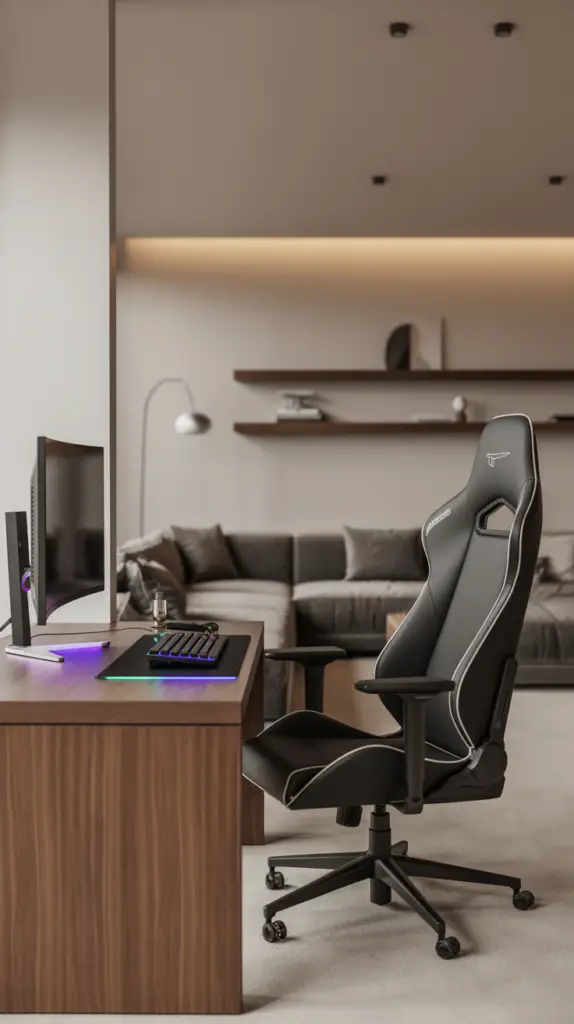
Gaming Room Lighting Techniques for Immersive Play
Lighting is one of the most transformative elements of a gaming room. The right lighting can shift the room’s atmosphere from a simple workspace to a cinematic, immersive environment. Many gamers prefer dynamic lighting that supports different moods—bright for productivity, soft and ambient for gaming, and colorful for aesthetic appeal.
Start with ambient lighting. This is the general illumination of the room, usually coming from ceiling lights or LED panel fixtures. Ambient lighting should be soft and diffused, minimizing glare on screens while ensuring visibility when moving around the room. Consider dimmable fixtures or smart bulbs that allow you to adjust brightness and temperature on command.
Accent lighting enhances the room’s mood and complements the gaming ambiance. LED strip lights behind monitors, along shelves, or under desks are particularly popular. They add depth and color without harshness. RGB lighting allows you to customize the palette to match your gaming setup, wallpaper, or themes. Warm neutral tones provide sophistication, while cooler blues and purples deliver a futuristic, high-tech feel.
Task lighting is crucial for focused activities such as building PC rigs, reading manuals, writing, or adjusting equipment. Desk lamps with adjustable arms offer directional lighting without flooding the room. Choose bulbs with temperatures between 3000K to 4500K for clarity without cool harshness.
Layering lighting is where comfort meets style. Combining ambient, accent, and task lighting creates visual dimension and allows you to adapt the atmosphere to the type of gaming. For example, adventure or narrative-heavy games may benefit from dim ambient lighting with soft accent lights, while action or multiplayer gaming benefits from brighter illumination that keeps focus sharp.
The placement of lighting also contributes to comfort. Avoid positioning lights directly behind gaming displays, as this creates glare. Instead, angle lights to illuminate walls or bounce indirectly. This reduces eye strain and enhances the immersive effect.
Lighting Strategy Table
| Lighting Type | Purpose | Best Placement | Mood Effect |
| Ambient | Overall illumination | Ceiling fixtures | Balanced & soft |
| Accent | Atmosphere & style | Behind monitors, shelves | Immersive & dynamic |
| Task | Focused activity | Desk or workstation | Clear & direct |
| LED Effects | Visual enhancement | Under desk, behind TV | Futuristic & energetic |
Integrating Technology and Equipment for a High-Performance Setup
A gaming room is only as effective as the technology powering it. High-performance equipment elevates the gaming experience and supports smoother visuals, faster response times, and better sound quality. Designing around your tech ensures a functional setup that enhances both comfort and style.
Start with the core gaming system. For PC users, this includes a well-ventilated tower, graphics card, monitor setup, and peripherals. Positioning monitors at the correct height—roughly eye level—reduces strain and improves gameplay precision. For console setups, mounting the TV on the wall ensures optimal viewing angles and frees up floor space.
Sound quality shapes immersion. A high-quality soundbar, surround-sound speakers, or gaming headset provides crisp, enveloping audio. Acoustic panels can also play a significant role by reducing echo and improving sound clarity. They double as stylish wall decor, adding texture and depth.
Smart technology enhances usability. Voice-controlled lighting, automated blinds, and smart plugs allow hands-free control during gameplay sessions. Cable management systems ensure your technology looks clean and intentionally placed.
Tech Integration Table
| Equipment Type | Function | Optimization Tip | Style Benefit |
| Monitors/TV | Visual output | Adjust to eye level | Clean profile |
| Audio System | Immersive sound | Add acoustic panels | High-end feel |
| Smart Tech | Convenience | Use voice control | Modern edge |
| PC/Console | Core gaming | Ensure airflow | Sleek presence |
Designing With Color for Mood and Motivation
Color psychology plays a significant role in gaming room inspiration focused on comfort and style. The right palette can energize, soothe, or even sharpen concentration depending on your gaming preferences and personal taste.
Neutral palettes—grays, blacks, whites—offer a sleek, modern feel and are ideal for minimalist or professional setups. These colors help reduce visual noise and provide a clean backdrop that allows lighting effects and equipment to stand out. Soft neutrals can also make small spaces feel larger and more organized.
Bold colors offer personality and excitement. Deep blues and greens promote calmness and focus, making them suitable for competitive or strategy-based gaming. Reds and oranges inject energy, useful for fast-paced games, though these colors should be used sparingly to avoid overstimulation. Purples and neon tones introduce a futuristic ambiance commonly associated with high-tech gaming aesthetics.
Color can also divide zones within the room. For example, a darker palette in the gaming zone contrasts with a lighter, more relaxed palette in reading or lounge areas. This segmentation creates visual balance and improves focus.
Color Palette Guide
| Color Theme | Best Use | Mood Created | Works Well With |
| Neutral Modern | Full room | Calm, sleek | RGB lighting |
| Deep Cool Tones | Gaming zone | Focused, rich | Black furniture |
| Warm Energy | Accent areas | Bold, lively | Matte finishes |
| Futuristic Neons | LED effects | Tech-inspired | Minimal decor |
Storage Solutions That Keep Your Gaming Room Clean
Clutter is the enemy of both comfort and style, making storage an essential element of your gaming room design. A clean room promotes better focus and prevents equipment damage caused by tangled cables or poorly stored accessories.
Start with vertical storage. Floating shelves display collectibles, controllers, and themed decor items without consuming floor space. They add personality while maintaining organization. Cabinets with sleek fronts are perfect for hiding away bulkier items like VR headsets or older consoles.
Drawer systems are excellent for storing smaller accessories such as cords, remotes, and extra controllers. Using drawer dividers ensures each item has a designated place, preventing chaos. Pegboards offer a customizable storage solution for headphones, charging cables, and even handheld consoles.
For large collections—games, figurines, memorabilia—glass display cases offer a museum-like presentation that doubles as decor. This elevates the room’s style while protecting items from dust.
Storage Solution Chart
| Storage Type | Best For | Key Benefit | Style Contribution |
| Floating Shelves | Decor, controllers | Saves space | Modern display |
| Closed Cabinets | Bulk items | Conceals clutter | Sleek look |
| Drawer Systems | Small accessories | Organized access | Clean finish |
| Display Cases | Collectibles | Protection | High-end visual |
Adding Personal Style With Decor and Theming
Decor is where your gaming room truly becomes your own. Personal touches create a room that inspires you, supports relaxation, and reflects your personality. Theming can range from subtle nods to favorite games to fully immersive worlds.
Artwork is a powerful tool. Framed prints, neon signs, or minimalist game posters introduce character without overwhelming the aesthetic. LED wall art enhances the futuristic vibe many gaming setups aim for.
Theming with subtle elements—like a color-coordinated keyboard, lighting that matches your game universe, or collectible displays—creates cohesion. For a more immersive experience, wall murals or themed shelving transform the room into a world inspired by sci-fi, fantasy, retro arcades, or cyberpunk design.
Augment decor with texture. Rugs, curtains, and throw blankets contribute warmth and comfort. A plush rug under your gaming chair reduces noise and makes the space feel more inviting.
Decor Style Table
| Decor Type | Purpose | Example | Atmosphere Impact |
| Wall Art | Personalization | Posters, neon signs | Character-rich |
| Collectibles | Theming | Figurines, replicas | Immersive depth |
| Rugs & Textiles | Comfort | Soft or patterned rugs | Warm & cozy |
| Accent Pieces | Style finish | Lamps, trays | Polished look |
Conclusion
A well-designed gaming room blends comfort, functionality, and personal style to create a space where you can relax, focus, and enjoy immersive experiences. Every element—from layout and lighting to furniture, color choices, and decor—plays a role in enhancing the overall atmosphere. When intentionally combined, these details transform a simple room into a gaming sanctuary that reflects your personality while supporting maximum comfort. The result is a gaming environment that feels balanced, stylish, and deeply enjoyable, whether you’re playing competitively, casually, or creatively.