
Teenage Boy Room Ideas with Gaming Setup for Cool, Functional, and Immersive Spaces
Table of Contents
Introduction
Designing a teenage boy’s room today goes far beyond choosing a cool paint color or stylish bedding. With gaming becoming one of the most popular hobbies among teens—over 80% of teenage boys play video games weekly—bedrooms now often double as gaming hubs, study areas, and personal retreats. This makes creating a space that’s functional, comfortable, and aesthetically cohesive more important than ever. A well-designed gaming setup can transform a room into an engaging environment that supports relaxation, creativity, and productivity.
Yet many parents and teens struggle with how to blend gaming equipment with attractive décor, especially in smaller rooms. Wires, LED lights, monitors, and tech accessories can quickly overwhelm the space if not integrated thoughtfully. This blog offers detailed teenage boy room ideas centered around gaming setups that balance style and practicality. You’ll discover layout inspiration, storage solutions, lighting strategies, décor techniques, and ways to personalize the space without sacrificing functionality. By the end, you’ll have a collection of actionable tips to create a cool, immersive, and organized room that reflects a teenager’s personality while supporting their gaming lifestyle.
Designing an Efficient Layout for a Gaming-Focused Teenage Room
A well-planned layout is crucial when designing a bedroom with a gaming setup, especially for teenage boys who use the room for multiple activities. Before introducing décor or equipment, evaluate the room’s dimensions, natural light, and furniture placement. The goal is to create an efficient flow that separates gaming, sleeping, and studying zones while keeping the space open and clutter-free.
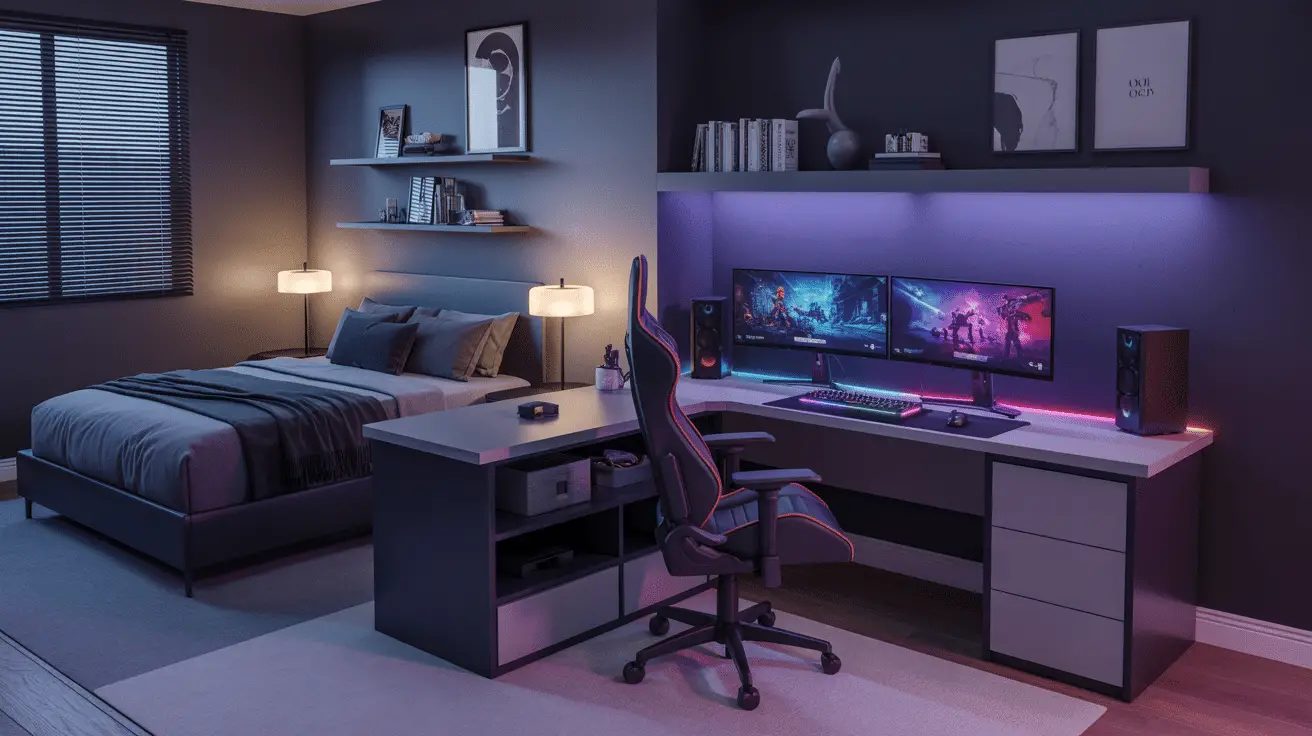
Place the gaming desk near an outlet to avoid long cable runs. Ideally, the desk should face a window or wall rather than the bed, helping teens stay focused when gaming or studying. If the room is small, choose a corner desk layout to maximize space. This shape naturally fits multiple monitors and PC towers while leaving more open floor area. Beds should be placed opposite the gaming zone to visually separate relaxation and gaming activities.
Consider flexible seating. A supportive gaming chair is essential, but adding an ottoman or small chair creates options for friends during multiplayer sessions. Shelving or wall-mounted racks positioned above or beside the desk allow easy access to controllers, headphones, and accessories without creating clutter.
Layout Planning Table
| Room Element | Best Placement | Purpose |
| Gaming Desk | Near outlets or corner | Efficient cable and device setup |
| Bed | Opposite desk | Visual and functional separation |
| Shelving | Above desk or corner | Organized accessory storage |
| Chair/Seating | Adjacent to desk | Comfort + guest seating |
Choosing the Right Gaming Desk, Chair, and Setup Components
Furniture selection plays a major role in building a stylish and functional gaming setup. The gaming desk should offer enough depth and width to accommodate monitors, a keyboard, PC tower or console, and lighting accessories. L-shaped desks are ideal for teens who need multiple screens or study space, while sleek straight desks work well in minimal rooms. Look for built-in cable grommets or shelves to keep wires hidden.
A comfortable chair is essential for long gaming sessions. Invest in an ergonomic design with lumbar support and adjustable height. Materials like breathable mesh or faux leather ensure comfort while maintaining a clean, modern look. Teens often prefer chairs that match their gaming aesthetic, such as black, gray, or neon-accented styles.
As for gaming components, LED light strips, monitor risers, and headphone stands enhance both aesthetics and usability. A well-placed PC tower stand keeps the computer elevated and cool, while a controller dock prevents clutter on the desk surface. The goal is to create a setup that looks clean yet powerful, balancing tech-forward details with smart organization.
Gaming Furniture and Components Table
| Component | Key Function | Style Benefit |
| Gaming Desk | Holds monitors + gear | Organized, modern look |
| Ergonomic Chair | Comfort + posture | Stylish seating element |
| LED Light Strips | Visual flair | Enhances gaming atmosphere |
| Headphone/Controller Stand | Accessory storage | Reduces desk clutter |
Creating a Cool and Immersive Gaming Aesthetic
An immersive aesthetic makes a teenage boy’s gaming setup feel more like a personalized, interactive environment. Many teens gravitate toward sleek, modern visuals—bold LED lighting, matte black hardware, neon accents, or futuristic décor. The key is to integrate these elements while keeping the room visually organized.
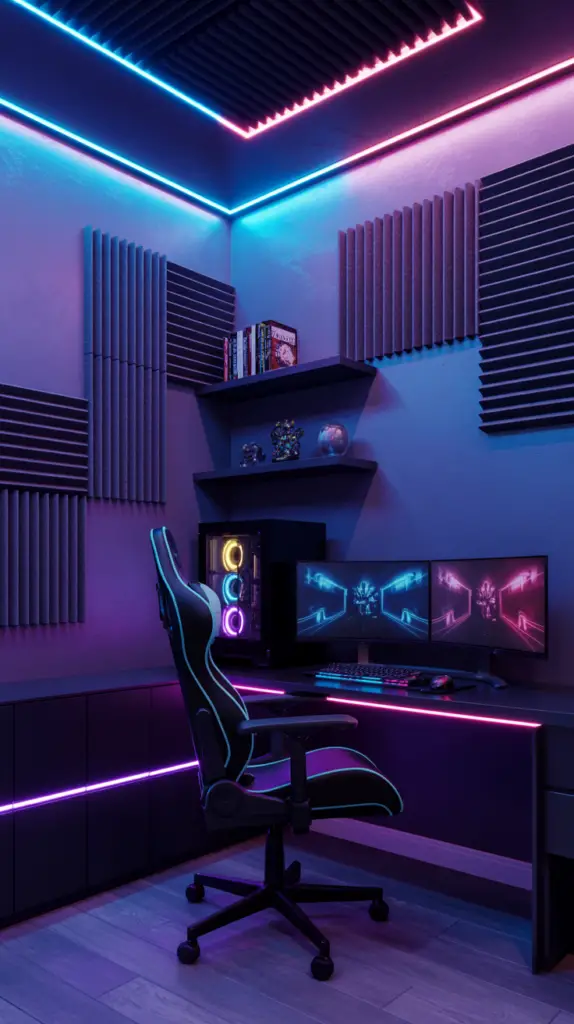
LED strip lighting behind the desk, monitors, or floating shelves creates a soft glow that enhances gaming moods without overwhelming the space. Teens often enjoy adjusting colors to match themes, games, or their PC lighting. Posters or framed prints of favorite games give the room character while maintaining an elevated feel. Wall-mounted sound panels not only improve acoustics but also double as stylish décor in geometric patterns or dark colors.
When selecting décor, balance dark and light tones. A dark feature wall behind the gaming desk anchors the space, while lighter bedding or shelving prevents the room from feeling heavy. A rug beneath the gaming chair defines the gaming zone and adds warmth. Keep surfaces minimal by displaying only essential or visually appealing items.
Immersive Aesthetic Table
| Aesthetic Feature | Impact | Best Placement |
| LED Lighting | Creates ambiance | Behind desk or shelves |
| Posters/Prints | Personalizes room | Above gaming station |
| Sound Panels | Improves audio | Side walls |
| Neutral Rug | Defines space | Under gaming chair |
Organizing Cables, Equipment, and Gaming Accessories
Cable management is one of the biggest challenges in teenage gaming rooms. Without proper organization, wires from consoles, monitors, chargers, and accessories can quickly turn into visual chaos. Creating a streamlined cable system not only improves aesthetics but also reduces hazards and keeps equipment functioning efficiently.
Start by choosing desks with cable ports or install adhesive cable clips along the desk’s underside. Velcro ties or zip ties help group wires neatly, preventing tangles. For PC setups, a cable sleeve keeps multiple cords hidden in one tidy tube. Wall-mounted power strips or surge protectors positioned behind the desk create a centralized power zone.
Gaming accessories like controllers, headsets, VR devices, and remotes need dedicated storage. Use drawer organizers to divide smaller items or install wall-mounted racks for controllers and headphones. Floating shelves above the desk offer stylish display opportunities for collectibles while freeing surface space. A small storage cart beside the desk works well for consoles, game cases, and tech tools.
Cable and Accessory Management Table
| Item | Organization Method | Benefit |
| Cables | Clips, sleeves, Velcro | Clean, hazard-free setup |
| Controllers | Wall mounts or docks | Easy access |
| Headsets | Stand or hooks | Protects shape, reduces clutter |
| Game Cases | Storage bins or carts | Keeps items tidy |
Using Color, Bedding, and Decor for a Cohesive Teenage Look
A cohesive color palette ties the entire room together, helping blend gaming equipment with everyday bedroom décor. Teenage boys often prefer darker tones such as charcoal, navy, or black, combined with neutrals like gray, white, or taupe. These colors work well with tech lighting and gaming accessories, creating a sleek backdrop for immersive setups.
Bedding should complement the gaming side without overpowering it. Solid colors or simple geometric patterns look modern and mature. Layering textures—like a knitted throw or patterned pillow—adds comfort and keeps the room feeling lived-in rather than sterile. Curtains or blinds should filter light effectively; blackout options help reduce screen glare.
Decor choices matter, too. Add framed posters, a wall clock, floating shelves, or storage baskets that match the room’s style. Plants, whether real or artificial, soften the room visually and add balance to tech-heavy areas. Decorative elements should enhance the teen’s interests while maintaining an organized, cohesive style.
Color Coordination Table
| Color Theme | Works Well With | Mood |
| Black + Gray | LED lighting | Futuristic, sleek |
| Navy + White | Natural wood | Calm, structured |
| Charcoal + Neon | Gaming gear | Energetic, bold |
| Earth Tones | Matte black décor | Warm, modern |
Maximizing Small Room Space with Smart Furniture Choices
Many teenage boy rooms are smaller than ideal, which makes strategic furniture selection crucial. Start with space-saving desks—corner units, wall-mounted desks, and slim-profile gaming tables free up valuable space while still supporting multiple monitors or consoles. Beds with built-in drawers offer hidden storage for bedding, games, or clothing.
Vertical space is another asset. Tall shelving units store gaming gear, books, and memorabilia while keeping floor space clear. Wall-mounted lights free bedside surfaces for essentials, and foldable or stackable stools accommodate friends during multiplayer sessions without taking up permanent space.
Decluttering is essential in small rooms, especially those with gaming setups. Use labeled bins, drawer dividers, and under-bed organizers to create permanent homes for items teens often leave scattered. When storage is accessible and visually appealing, teens are more likely to keep the room tidy.
Small Space Optimization Table
| Strategy | Best Use | Benefit |
| Corner Desk | Tight rooms | Maximizes layout |
| Under-Bed Drawers | Clothing, accessories | Hidden storage |
| Tall Shelves | Gaming gear | Saves floor space |
| Foldable Seating | Visitors | Compact convenience |
Enhancing the Gaming Experience with Lighting and Sound
Lighting and sound elevate a gaming setup from simple to immersive. LED strip lights placed behind the desk, under shelves, or inside PC towers create atmospheric color washes that enhance the mood. Teens often match colors to their favorite games or use dynamic rainbow settings during late-night sessions.
Task lighting is equally important. A sleek desk lamp with adjustable brightness ensures teens have proper illumination for homework or reading. Avoid harsh overhead lights and instead use warm bulbs that create a comfortable environment.
Sound quality impacts gameplay dramatically. For teens using speakers, place them on either side of the monitor for balanced output. Soundproofing panels can reduce echo and provide acoustic clarity. If headphones are preferred, invest in a high-quality headset and a dedicated stand to keep it safely stored. Integrating subtle sound features—such as Bluetooth speakers for music—creates a flexible entertainment zone.
Lighting and Sound Table
| Feature | Setup Tip | Benefit |
| LED Strips | Behind desk/monitors | Immersive glow |
| Desk Lamp | Adjustable brightness | Better focus |
| Speakers | Balanced placement | Enhanced audio |
| Headset Stand | Beside monitor | Organized storage |
Conclusion
Designing a teenage boy’s bedroom with a gaming setup requires blending functionality, style, and personalization. With careful planning, even the smallest rooms can support immersive gaming, comfortable lounging, and productive study zones. The key is creating balance through efficient layouts, thoughtful furniture choices, smart lighting, cohesive décor, and effective cable management. By tailoring each element to your teen’s needs and interests, you build a room that feels modern, expressive, and uniquely theirs—a space where gaming, creativity, and relaxation come together seamlessly.